Real-time rendering
Ink Wash Rendering with Po
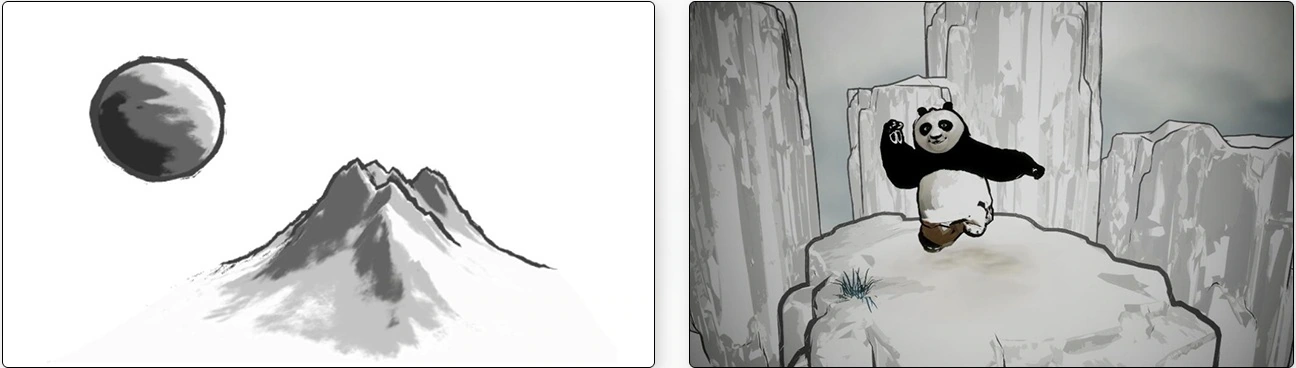
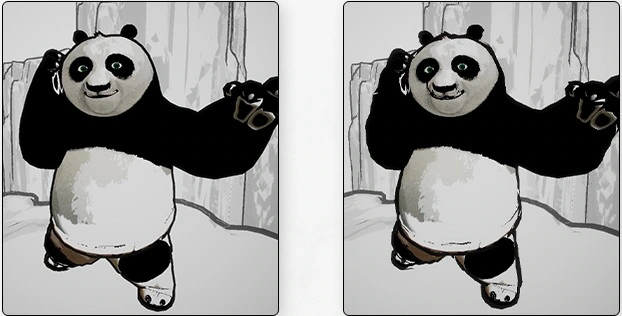
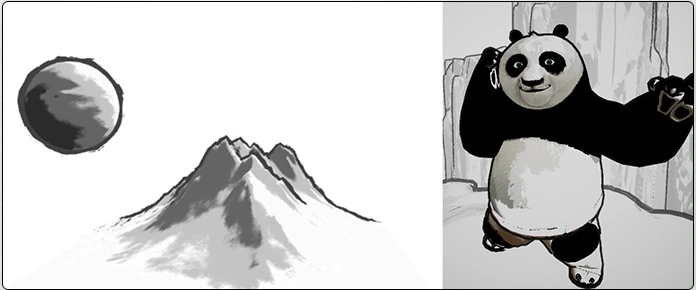
A stylized real-time ink-wash look in Unity's Universal Render Pipeline, applied to Po from Kung Fu Panda and a rocky mountain scene. An ink-wash reference set three goals: brush-like outlines; textured light and shade with a crisp, near-binary transition; and selective treatment of local colors such as the clothing and height-dependent highlights. The character and the rocks share the same shader.
Process
After the mesh and textures were prepared, Mixamo handled rigging and animation retargeting before the model came into Unity (5,768 vertices, 8,464 triangles, two submeshes).
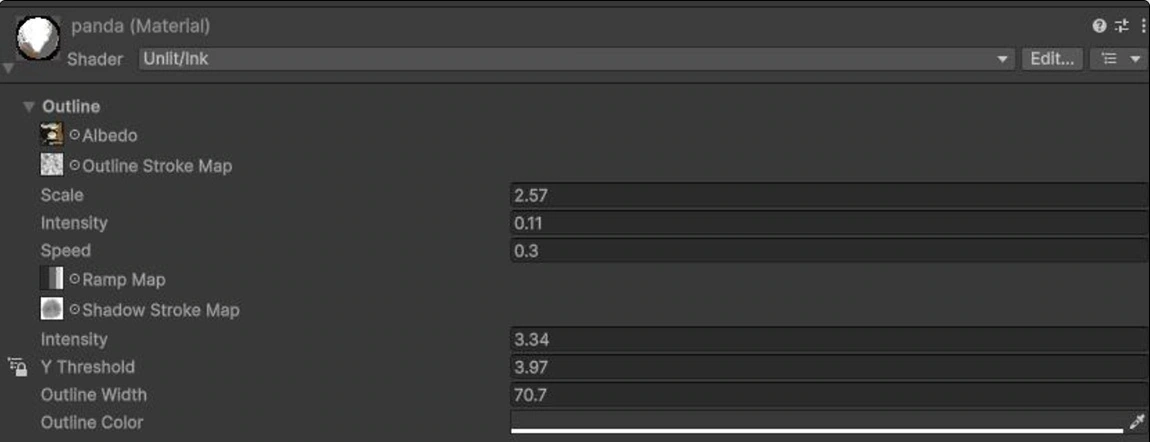
Outlines use two passes. The Outline pass culls front faces and pushes the back-facing shell out along the normals in view space, scaled by OutlineWidth, and a scrolling noise texture varies the width over time so the line moves like a brush stroke. Shading samples a Ramp texture with N·L multiplied by a shadow noise, so lighting falls into distinct ink tones while a brush texture breaks up the boundary. A height threshold and an RGB mask control which areas keep a highlight, and the outline color is a darkened blend of the base color, so local hues remain. A custom Material Inspector groups these settings into foldouts.
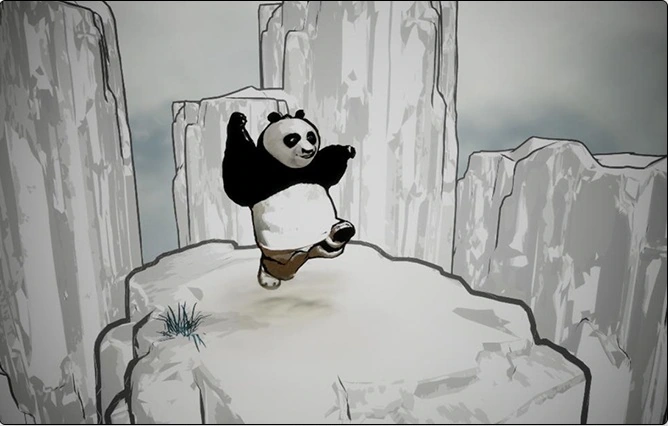
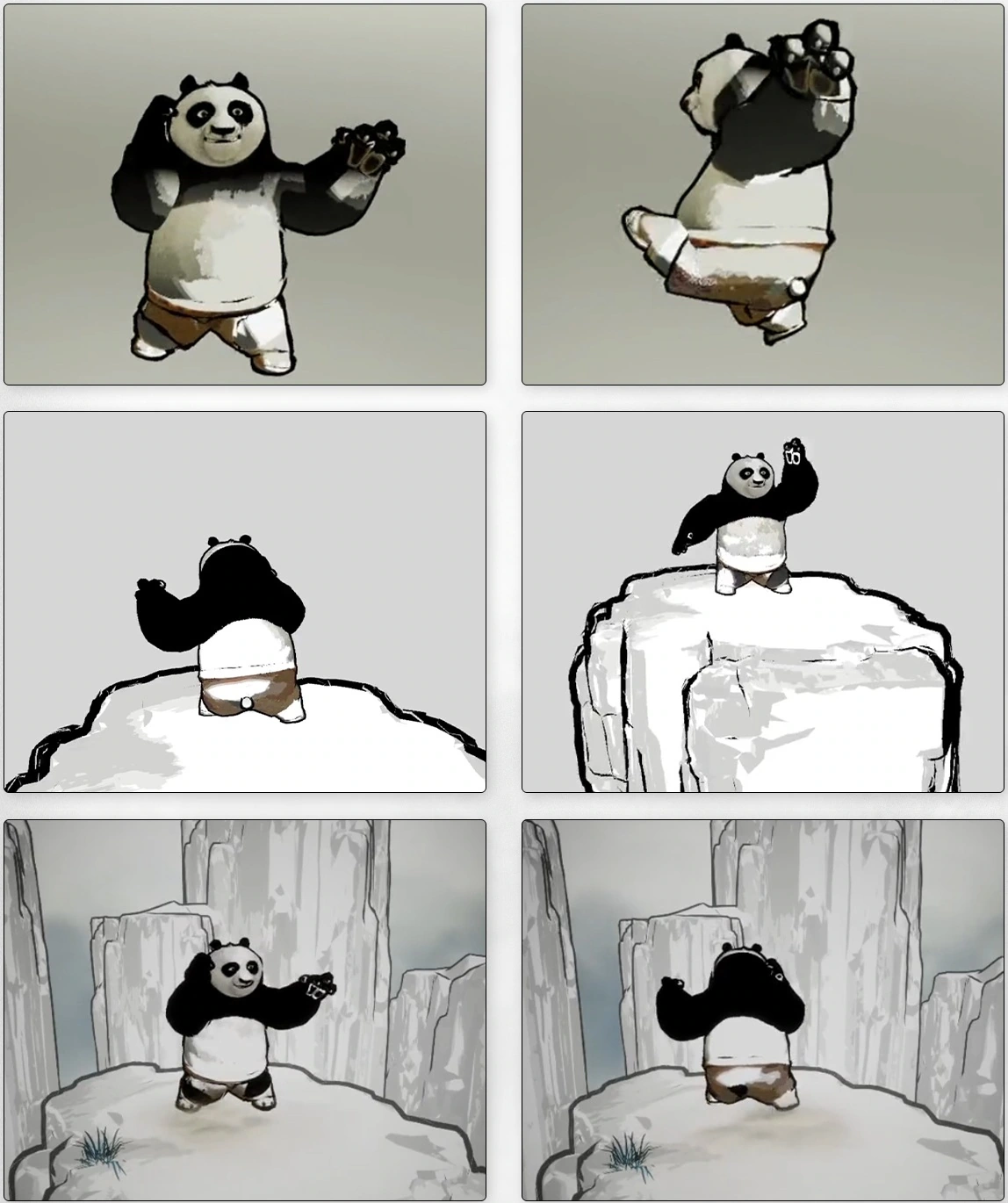
The scene was assembled in stages around Po: a platform rock, background rocks and a grass accent, then a ground-shadow effect, fog cards and a camera vignette. The visual design focused on readability: keeping Po's large dark shapes from merging, using his white belly and other light areas to describe volume, and keeping him distinct from the paler environment.
Rendering breakdown
Visual goals and preparation
- Brush-like outlines with variation rather than a perfectly regular contour.
- Textured light and shade with a crisp, near-binary transition authored in the Ramp texture.
- Selective local color, including clothing and height-dependent highlights, shared by character and rocks.
Po's prepared mesh and textures were rigged and retargeted through Mixamo before import into Unity. The model contains 5,768 vertices, 8,464 triangles and two submeshes, with UV1 and skin weights.
Two-pass outlines and moving brush noise
The Outline pass uses Cull Front to draw an expanded back-facing shell. ForwardLit draws the body. World position and normals are converted to view space before extrusion, with OutlineWidth controlling the offset. This reduces the outline's direct dependence on object-space scale, while perspective still changes its width in pixels.
float3 posWS = TransformObjectToWorld(v.vertex.xyz);
float3 pos_view = TransformWorldToView(posWS);
float3 normal_world = TransformObjectToWorldNormal(v.normal);
float3 outline_dir = normalize(mul(
    (float3x3)GetWorldToViewMatrix(), normal_world));
OutlineNoise is sampled spatially and translated over time using _Time.y × _noiseSpeed. _noiseScale sets its frequency; _noiseIntensity sets width variation. smoothstep(0.3, 0.8, R) shapes the sampled noise before it modulates extrusion. The Material Inspector groups these controls in foldouts.
Vertex-color A is read for width and B modifies the view-space Z component of the extrusion direction. The current mesh has no painted vertex colors, so local painted control remains a possible improvement.
Ramp shading, height and local color
N·L is multiplied by ShadowNoise.r × _shadowScale to sample _RampNoise along U, with V fixed at 0.5. The Ramp turns continuous lighting into distinct ink tones. A brush texture breaks up the light–dark boundary; the Ramp's steps and transition width determine how binary the result appears. There is no separate binary-threshold slider.
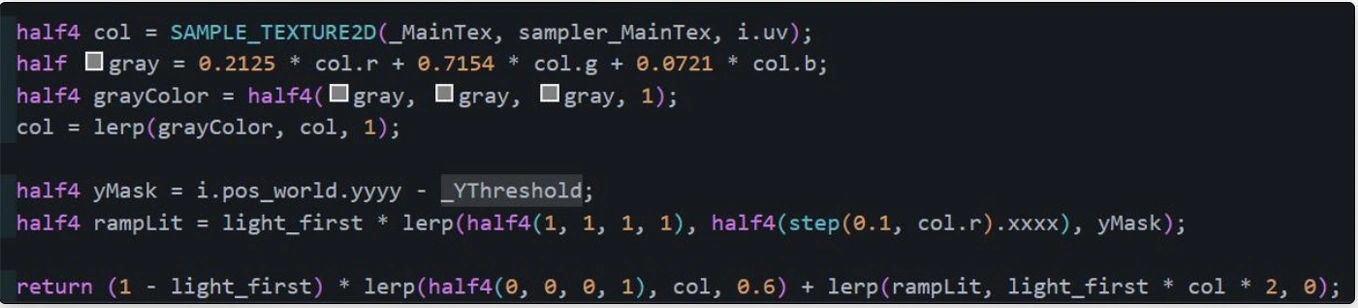
d = worldY - _YThreshold
m = step(0.1, baseColor.r)
highlightRGB = L * lerp(1, m, d)
darkRGB = (1 - L) * 0.6 * baseColor
The red channel defines one mask applied to all RGB channels. It does not create three independent thresholds. Outline color is darkened from a dominant-channel blend of the base color, retaining local hues.
Rock materials reuse the same Ink shader. OutlineWidth, noise, shadowScale and YThreshold are tuned for each asset's scale so the platform, cliffs and character share tonal bands and contours without needing identical settings.
Keeping the character readable
Separate local color from lighting
Po's ears, eye patches and arms are already dark. When hands overlap the head or arms cross the torso, these regions can merge. Light shapes in the face, belly and gaps between limbs preserve the character's expression and pose.
Describe volume with light areas
The white belly anchors the dark silhouette. Broken grey patches suggest an ink wash without requiring smooth realistic shading throughout. These light regions are rendered surface colors; the height treatment is an artistic control rather than a physical ink-absorption model.
Keep the environment quieter
Pale rocks frame Po's concentrated dark shapes. Outline weight, tonal contrast and spacing guide attention toward him, while a small grass accent adds a finer scale of detail.
Camera distance and line thickness
View-space extrusion expresses the offset relative to the camera. It does not by itself compensate for distance. Under perspective projection, a fixed sideways offset occupies fewer pixels as positive camera depth increases.
pixel width ≈ (viewport height / 2)
    × cot(vertical FOV / 2)
    × sideways offset / camera depth
This is a simplified projection relation, not an exact silhouette-width guarantee: normal direction, curvature, the offset's depth component and noise also affect the contour. The current shader has no explicit depth compensation, so the line becomes thinner as Po recedes. An orthographic camera would need a rule based on view size instead.
Possible extensions include constant-pixel width, or a bounded distance-compensation curve with separately controlled noise. Constant-pixel width would improve distant visibility while making the outline proportionally larger around a shrinking character. These are future options, not demonstrated behavior of the current shader.
Building the scene around Po
Character
Establish the ink treatment and retain Po's rounded body and recognizable expression.
Platform rock
Give him a clear standing surface and fill the lower foreground.
Background rocks
Vary heights and gaps to create depth. Their pale faces frame the darker character.
Grass accent
Break up the broad rock surface with a small patch of finer detail near the left edge.
Finishing effects
Add a ground-shadow effect, fog cards and a camera vignette. The shadow anchors Po, fog separates layers and the vignette concentrates attention toward the centre.
The ground-shadow effect is separate from real-time shadow attenuation in the Ink shader. The completed view uses a different animation pose from the assembly sequence, so it shows the combined composition rather than a controlled comparison of the three finishing effects.
Limitations and next steps
- Normal extrusion can split at hard edges and split vertices. Baked smooth normals could provide continuous extrusion directions.
- A screen-space pass could detect neighbouring depth differences, optionally with normals and depth thresholds for edge selection.
- UV2, tangents or vertex colors could store painted local width; RGB vertex colors could control outline color.
- Multiple noise layers with different frequencies and speeds could separate fine strokes from broader motion.
- Height interpolation is unclamped and can exceed the 0–1 range. World-space height also depends on object placement.
- Main-light color, additional lights and real-time shadow attenuation are not included in the current shader.
Scroll horizontally to see all columns.
| Module | Purpose |
|---|---|
| Shader/Ink.shader | Outline and ForwardLit passes. |
| Editor/CustomShaderGUI.cs | Material Inspector foldouts. |
| Model/Kicking.fbx · Anim/ | Rigged mesh and animation assets. |
| Texture/ · Material/ | Base color, noise, Ramp and materials. |
| Scenes/New Scene.unity · Settings/ | Scene and URP configuration. |
| Script/Rotator.cs · ThirdParty/BK/ | Object rotation and environment assets. |
Unity 6000.5.8f1 · URP 17.5.0 · HLSL target 5.5 · Opaque / Geometry. The outline uses SRPDefaultUnlit and the body uses UniversalForward. UnityPerMaterial stores per-material parameters.
Project gallery
9 images · Click to explore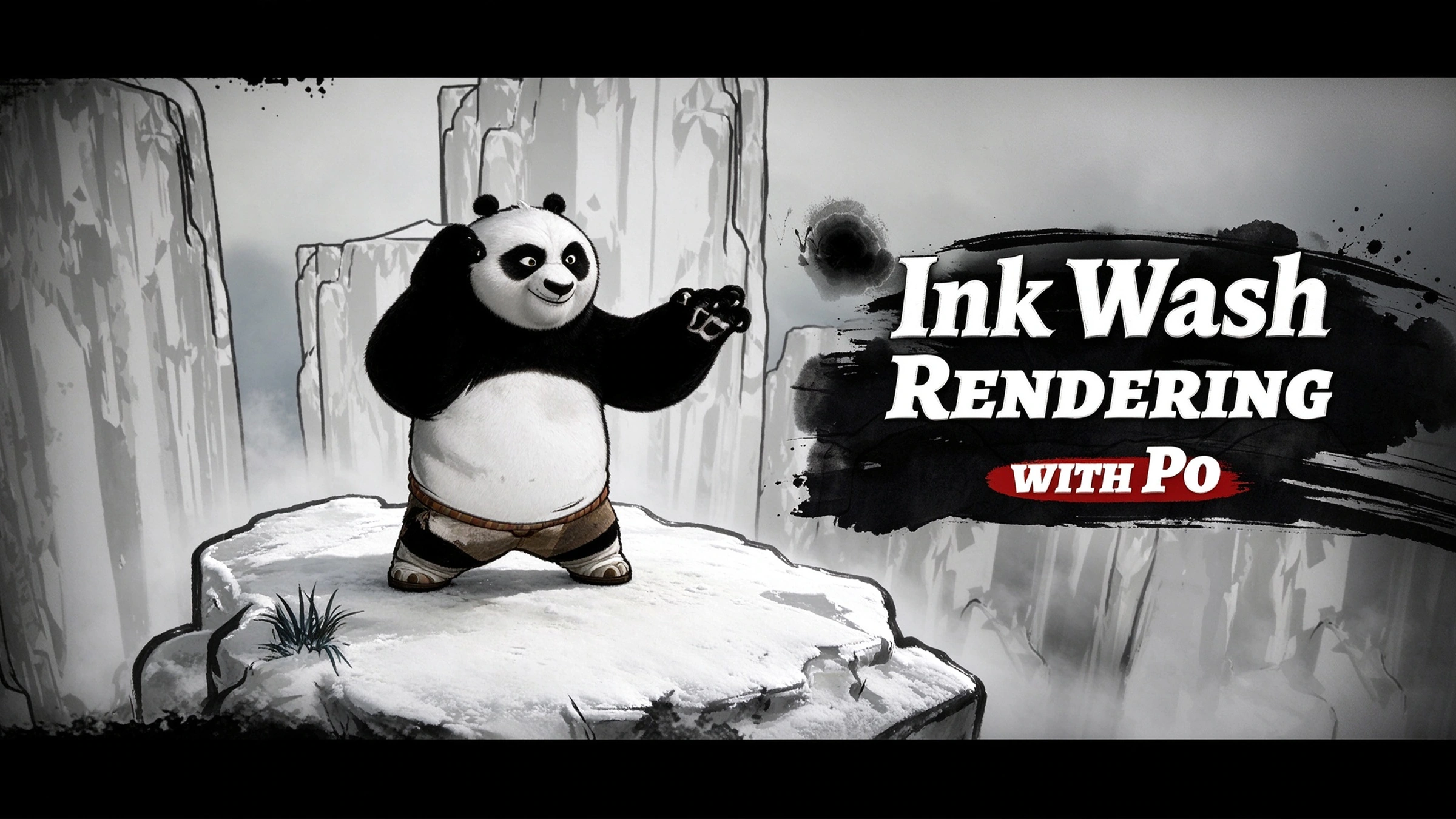

Po is a character from DreamWorks’ Kung Fu Panda. This project focuses on the shader, materials and scene.
Result
A real-time ink-wash scene in which the character and the environment share one shader. The write-up also lists the next steps: depth compensation for line width, smoother outlines at hard edges, and painted line width and outline color.